
Automate Utility-Scale Solar Modeling with PlantPredict’s API & Python SDK
Last updated: November 24, 2025
Effectively modeling utility-scale projects is crucial for boosting performance and maximizing returns. PlantPredict provides robust tools to support several performance modeling workflows, including an intuitive GUI, a versatile API, and a Python SDK, that simplify the design, analysis, and optimization of solar plants. One of the most powerful aspects of PlantPredict is that your projects, predictions, and libraries can be accessed from several pathways. This facilitates custom workflows that allow you to choose the pathway that makes the most sense for the task at hand.
In this article, we will explore the basics of these tools, how they work together, and present real-world examples that demonstrate the benefits of automation in solar modeling. Whether you are a developer, engineer, or project planner, this guide is filled with resources to enhance your workflow and uncover new efficiencies.
What is a Graphical User Interface (GUI)?
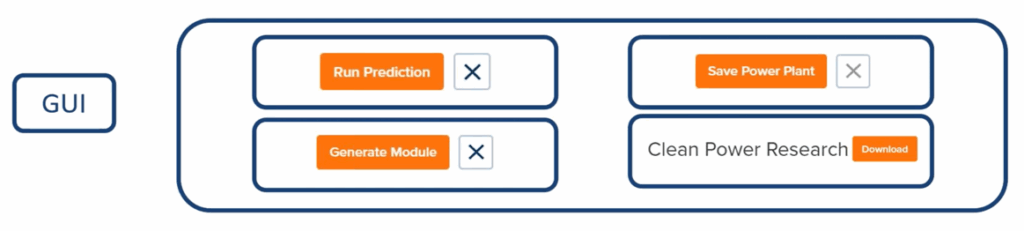
A GUI, or graphical user interface, is the visual part of software that users interact with. For PlantPredict, the GUI is accessed through an internet browser such as Chrome. It includes elements like buttons, sliders, menus, and forms that help the software function smoothly. A well-designed GUI makes it easy for users to input information intuitively, allowing them to use software or applications without needing any coding knowledge.
Whenever you drag a file into a folder or click the SUBMIT button on a form, you are using a graphical user interface (GUI). For those who aren’t tech-savvy software developers, GUIs are essential because they simplify complex tasks and provide a clean, user-friendly experience. This makes software accessible to everyday users around the world.
In short, the GUI serves as the front end of an application.
What is an Application Programming Interface (API)?

An API, or Application Programming Interface, serves as a bridge between two software systems, enabling them to communicate clearly and effectively. It establishes a set of rules and endpoints that developers can use to send or receive data, initiate actions, or connect with external services.
For example, if you want PlantPredict to automatically pull design data from another tool or send its simulation results into a report or dashboard, the API facilitates that connection seamlessly in the background. APIs are essential for automation, integrations, and custom workflows, empowering software to grow and adapt without needing manual input.
In short, the API serves as the back end of an application.
GUI/API Workflow

In the workflow that includes the Graphical User Interface (GUI) and the Application Programming Interface (API), the API serves as the backbone of the application. It handles all complex functions, calculations, and database interactions. On top of it sits the GUI, which presents the buttons and tools that users interact with, such as “Run Prediction” or “Generate Module” in PlantPredict.
When a user clicks one of the buttons in the graphical user interface (GUI), a request is sent to the API. The API processes the request, carries out the necessary tasks, and returns a response containing the results. The GUI then presents this response visually, using formats like graphs or downloadable data, making it easy for users to access and utilize the information generated by the API.
Accessing the Performance API
The Performance API is the core of PlantPredict’s web platform. It is the backend where complex calculations, models, and algorithms are executed. It is responsible for tasks such as analyzing intricate datasets, managing asset libraries, and running utility-scale energy simulations. If you have a PlantPredict account along with the necessary API credentials, you can access these features directly, bypassing the web interface entirely.
This direct access enables serious automation and scripting with tools like Python, making high-resolution modeling and large-scale analysis much easier.
To assist developers in starting efficiently, PlantPredict offers two vital resources:
What is the PlantPredict Software Development Kit (SDK)?
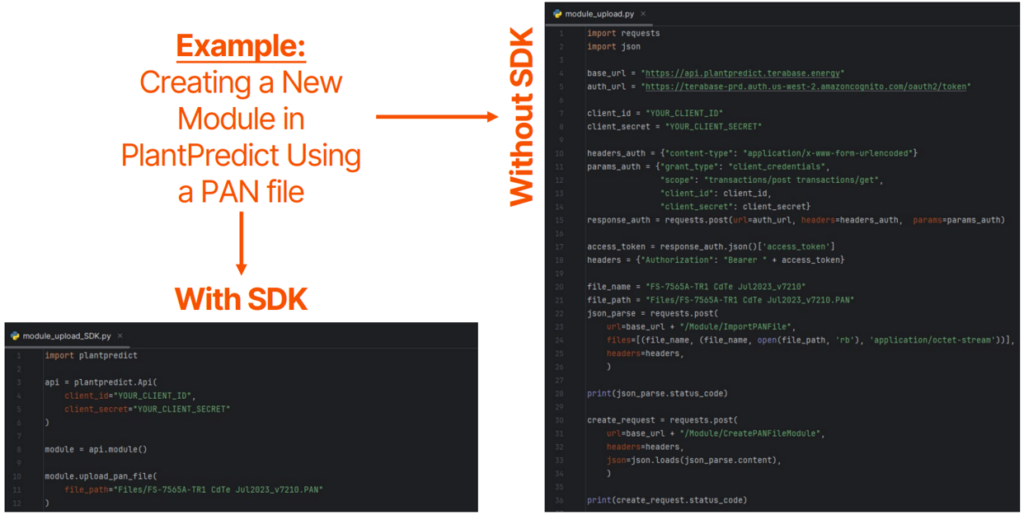
An SDK, or Software Development Kit, is essentially a comprehensive toolbox for developers. It includes pre-written code, libraries, documentation, and sometimes even sample applications. This toolkit is designed to simplify the software development process and facilitate working with an API. If you think of the API as a bridge, the SDK serves as the construction kit that allows you to assemble everything more quickly and reliably.
Software Development Kits (SDKs) can significantly accelerate the development process by handling repetitive tasks, providing tested components, and guiding developers on best practices. For instance, a PlantPredict SDK could help developers automate the setup of simulations, create custom tools for batch processing project files, and seamlessly integrate PlantPredict outputs into internal dashboards, all while reducing the need for manual coding.
SDK/API Workflow
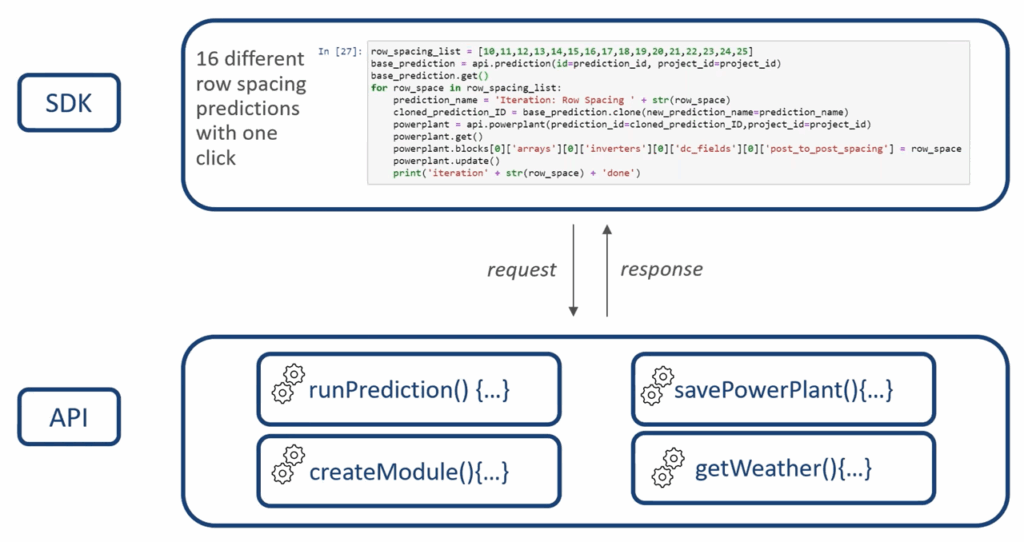
In the API/SDK workflow, the API handles all the complex operations, calculations, and database interactions necessary for the application to function smoothly. Rather than using a graphical user interface (GUI), developers interact with the API directly via a Software Development Kit (SDK) through code. The SDK includes various tools and pre-built functions that streamline the process of sending requests and managing responses programmatically.
For instance, executing a single block of code can initiate multiple predictions or analyses at once. The API manages these requests and returns the results, while the SDK enables developers to customize how they utilize those outcomes. This can include generating reports, automating workflows, or integrating with other systems. This approach offers significantly greater flexibility, scalability, and automation compared to traditional GUI-based interactions.
How to Access and Install the Python SDK
The PlantPredict Python SDK can be installed through two main methods: using a Local IDE or a Web IDE.
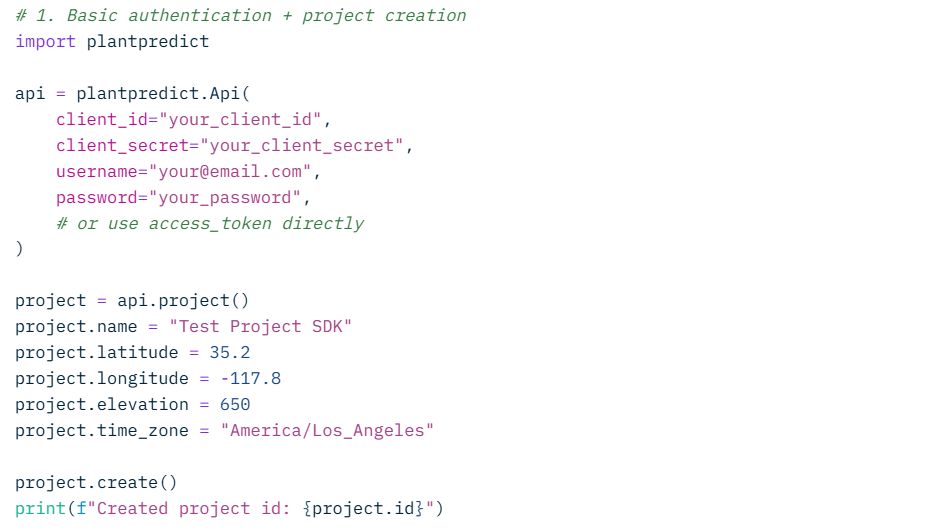
For the local installation, you need to have Python installed on your computer. Choose an IDE such as VSCode or PyCharm, set up a virtual environment, and then run the command `pip install plantpredict` to install the SDK.
Alternatively, if you prefer to work in a web browser, platforms like Replit or Trinket allow you to run Python code easily without the need for installation.
To get started, PlantPredict provides a Quick Start Guide, a GitHub repository for the SDK, and links to community discussions where you can seek support and collaborate with others.
This setup guide is designed for beginners, making it easy to start using PlantPredict’s solar modeling tools in Python.
PlantPredict SDK Industry Use Case #1 - Looping Over Parameters
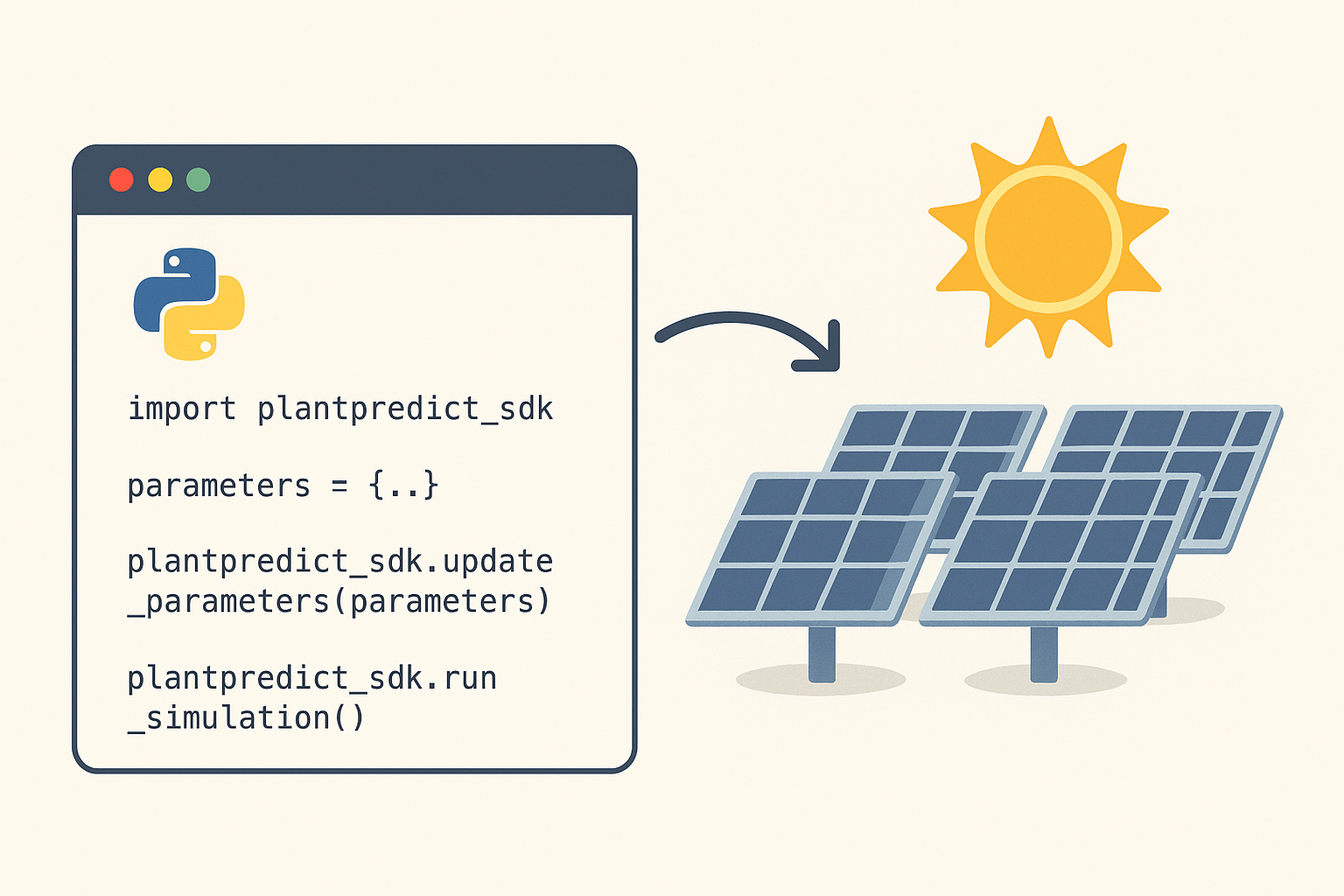
One of the primary use cases of the PlantPredict SDK is its ability to streamline the testing of various power plant configurations for determining the most efficient design. Traditionally, this kind of analysis would involve hiring external consultants and could take anywhere from one to two weeks to perform the analysis.
With the SDK, you can easily set up a script that duplicates a pre-existing base model, tweak one or more parameters, run the energy model, save the outcomes, and then repeat for each variation. This approach not only speeds up the process but also makes it more scalable and cost-effective.
PlantPredict SDK Industry Use Case #2 - Looping Over Locations
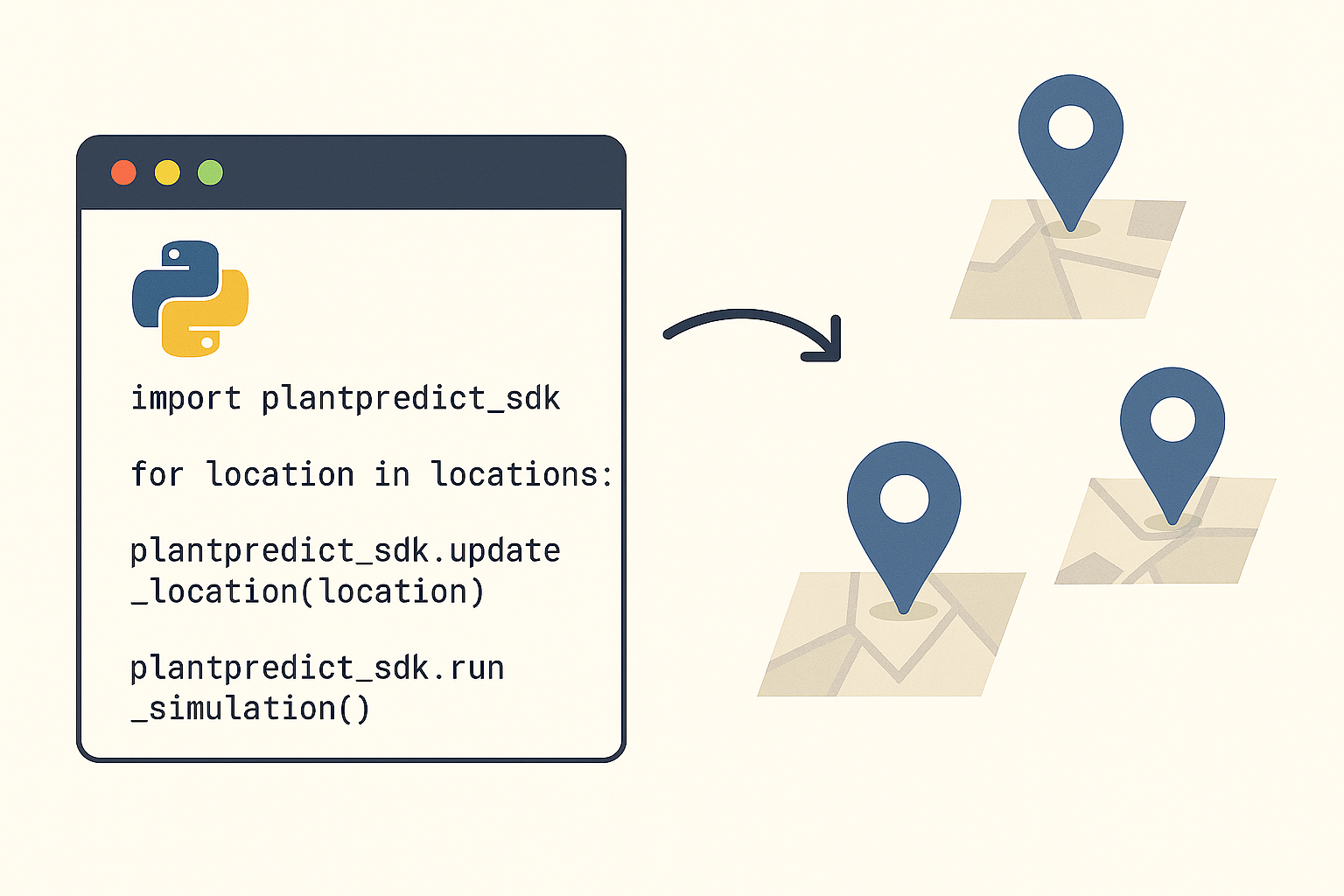
When you are venturing into new markets, it’s vital to understand how a power plant might operate in different locations. Thanks to the PlantPredict SDK, you can automate this analysis and gather valuable insights in just minutes. By iterating over a set of latitude and longitude points and weather data, such as data at the county or regional level, you can quickly create representative power plants, run energy simulations for each site, and compare the results on a larger scale.
This strategy enables you to visualize performance patterns across entire regions, identify areas with high potential, and make informed choices about where to concentrate your development efforts. Once your looping script is established, it can be easily modified for new datasets or markets, giving you a repeatable and scalable approach to data-driven market evaluation.
More PlantPredict SDK Industry Use Cases
Basic (Utility Scripts)
- Remove duplicate modules/inverters/weather files
- Compare inputs or outputs across two (or more) predictions
- Find [projects/predictions/modules/inverter/weather files] that meet certain criteria
- Reassign ownership of assets, projects/predictions/modules/inverter/weather files to different users
Intermediate (Modeling Automation)
- Run project sensitivity analysis using design and product variations
- Compare product performance across design and geographic variations
- Run Monte Carlo simulations for uncertainty analysis
- Visualize prediction results in custom ways
Advanced (Software Integration)
- Embed PlantPredict within existing business software and workflows, including:
- Automate prediction creation from other software applications used in the design and project management process (i.e., CAD, Excel, Salesforce, Procore)
- Automate the creation of contract exhibits or specs using PlantPredict data
- Retrieve PlantPredict data for up-to-date development pipeline metrics
- Real-time operational asset performance modeling and analytics
Automating utility-scale solar modeling with PlantPredict’s API and Python SDK is a significant advancement. It saves time, reduces errors, and accelerates project insights. By utilizing the workflows and use cases we’ve provided, you can enhance the speed of modeling, allowing you to focus on improving plant performance. The resources available make it easy for anyone to get started with automating utility-scale solar modeling!